
What's New...
(Click to View All Features)
✨ Social button one-click login with Google, Apple or Facebook just released.
Could be a real timesaver!
Instantly login to your Open House Wizard account with our new Social Login buttons on the login screen.
How to Use:
- Your Open House Wizard login must match your social login (if not you can add it, see below)
- To login simply use the button for the social account you would like to use on the login screen at: https://openhousewiz.com/login/
- If your Open House Wizard login down not match your social login:
- Login to Open House Wizard with your regular user name
- Go to Settings/Your Account Details/Account Specific Details
- Click the "Add Social ID for Login" button, then Save
- Logout out then back in using the Social button on the login screen (Google, Apple or Facebook)
*Facebook login coming soon

✨ Magic "Virtual QR & Text Codes" released.
Tired of creating a QR / Text Code for every new Open House? Now you can create a single QR & Text code for all Open Houses and a second one for all property Marketing
These Codes can be used anywhere or however you wish such as: your own custom visitor registration signage displayed at Open Houses, social media, sign riders, you name it!
Your Virtual Open House QR & Text Code can also be used on our Visitor Registration Flyers page to create a stunning flyer effortlessly. The power here is that once the flyer is created you do not have to create it again.
Note: Since our flyers support 3 images and property information you would need to adjust those images and info to not be property specific.
How to Use:
- Open the Virtual QR & Text Codes page from the dashboard menu
- To use for an Open House: Activate or Add a Property. Then, download a Virtual QR Code and copy the Text Code, then use it wherever you wish. *Only needs to be downloaded once.
- To use for Marketing: Add or or change the Marketing Site Link for the property. Then, download a Virtual Marketing QR Code and use it wherever you wish. *Needs to be downloaded whenever the Marketing Site Link changes.
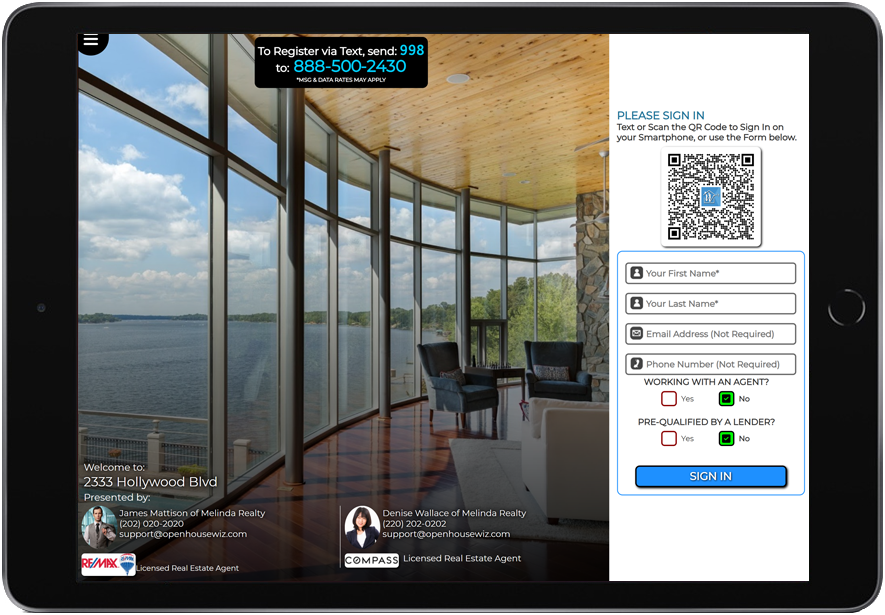
✨ New "Modern Style" Registration pages released.
Take your Open House look up a notch!
These pages are geared to help you shine and project an even more polished and professional appearance at an Open House. These pages load on your device and function as a Visitor Registration Kiosk during an Open House. Works with iPads, Notebooks, iPhones, Windows, Android and pretty much all devices.
This is not a replacement for the existing device loaded registration page, but rather another option for those that are looking for a different 'look' for their open houses.
CLICK to View the Pages
 Modern Look Registration page.
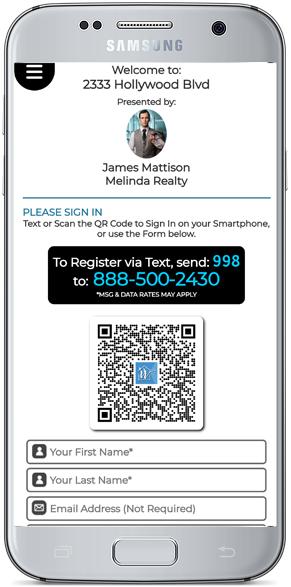
 Modern Look Registration page, Smartphone size.
 Modern Look Registration page with an Active Co-host.
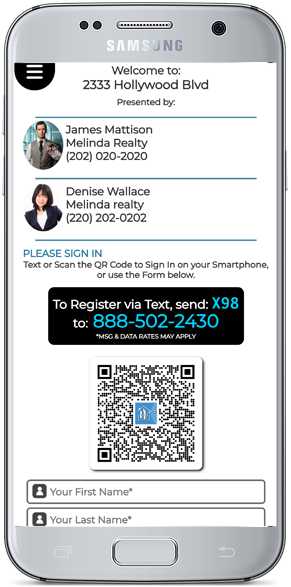
 Modern Look Registration page, Smartphone size with an Active Co-host.

Page Features
- All agent branding as well as co-host branding is shown (if a co-host is active)
- Text Code, QR Code and Form registration options are all included
- Menu access is included *can be toggled to show or hide
- "Form Only" can be chosen to show only a form and hide Text & QR Code options if preferred
How It Works:
- Login to your account
-
Choose "Run an Open House" on the dashboard menu
-
Choose "Modern" to load the new page
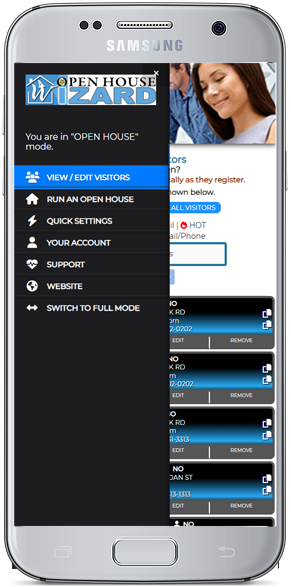
✨ Now available - "OPENS APP MODE"
Opens App Mode is a no frills dashboard that includes everything you need while running an open house without all the unnecessary clutter. This streamlined dashboard allows an easier & more efficient open house experience.
This eliminates the need for an Android or Apple App to run registration pages and manage visitors at an open house. This can greatly simplify your open house management and can save you time.
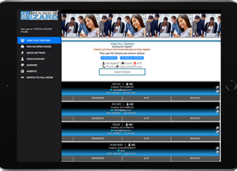 Opens App Mode features:
- Open a Registration page for visitors to use for Sign-in
- Monitor Visitor Registrations as they occur
- Edit / view / manage visitors
- Add a followup reminder for any visitor
- Adjust / edit your contact information & images
- Change Settings
- Enable / Disable questions & add / change custom questions
Works with all devices but is great for smaller devices such as Smartphones & iPads.
How It Works:
- Login to your account
-
Choose "Switch to Opens App Mode" on the dashboard menu
-
To return to "Full Mode" choose "Switch to Full Mode" on the dashboard menu
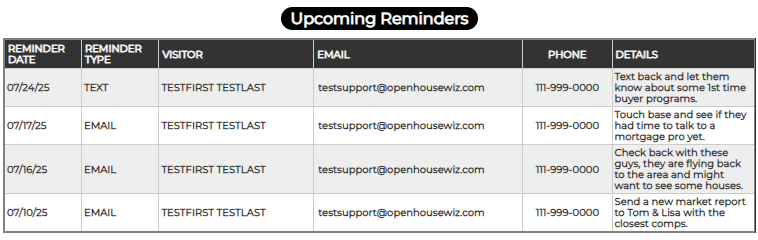
✨ Automated Reminders: Your New Secret Weapon for Lead Conversion!
Stay on top of your follow-ups with Automated Reminders — the newest addition to your lead conversion toolkit. Whether you're hosting an open house or just had a quick idea pop into your head, you can add a reminder in just 5 seconds.
Think of it as your personalized client-specific to-do list — easy, fast, and always right on time.
How It Works:
-
Choose a Visitor and click Reminder
-
Select a Reminder Type – Email, Text, Call, or Other
-
Add Notes or Details – e.g., "Call to check how the closing went."
-
Pick a Date & Time to receive your reminder via email
-
Save and Done!
That’s it, the Reminder will be Emailed to you on the Date/Time you set — no fuss, no forgetting, just smart follow-up exactly when you need it.
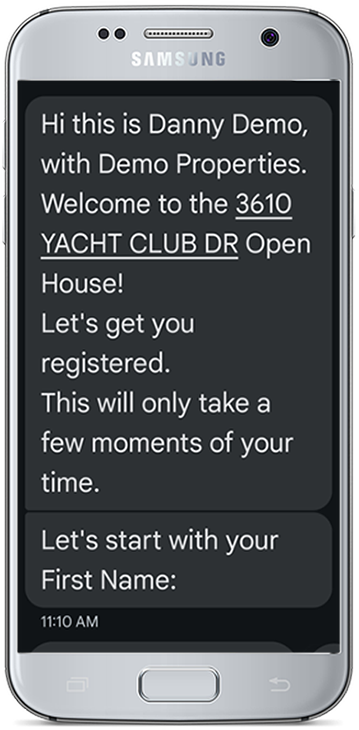
AI Assisted Text Chatbot for Visitor Registrations
No WIFI or Data Connection needed!
The Chat registration is handled fully through SMS Text Messaging on a Visitor's Smartphone Messaging App.
AI CHATBOT BENEFITS
Using our SMS / Text Chatbot add-on to register visitors at an open house is a game-changing strategy for real estate agents and brokers looking to streamline the sign-in process, capture quality leads, and follow up effortlessly.
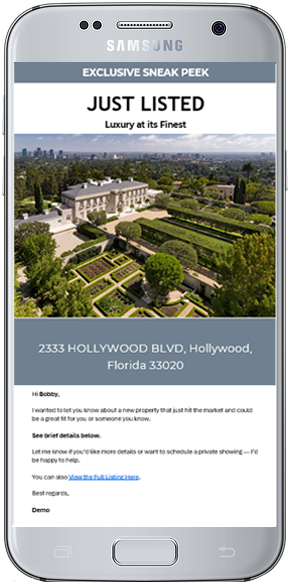
AI Assisted Professional Email Templates
These templates are also Fully Customizable on the fly too. Change the colors, headings, sub-headings, tag lines, subject as well as the main image used with just a few clicks.
Best of all, since these work with our Visitor Blast Email service, email tracking statuses are monitored and the results are added to the Visitor's record. These statuses include: MESSAGE DELIVERED, MESSAGE READ & MESSAGE DELIVERY FAILED.
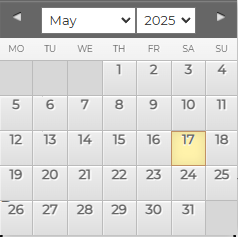
Send Emails on a Different Date & Time
Now available on our Visitor Blast Email service (on the SEND EMAILS page) as well as the Drip Campaigns page. You can now schedule any or all emails for dates and times in the futures. You can use this to setup your own custom Pro Email Drip Campaigns or set the date & times on the fly for any email you send out to a Visitor. To use, look for the SEND NOW or LATER option before the Send Email button.
Example: Let's say you want to contact all visitors from an open house 4 hours after the open, just choose the visitors and then set the time and Send. Or, maybe a visitor mentioned they are going to an event or something is happening on a specific day, you can schedule a custom email followup for maybe 2 hours or so after the time / date to find out how everything went.

AI Open House Assistant
Our AI Assistant can help with all Visitor related messages such as Emails, Texts, Drip Emails and more.
AI LEAD CONVERSION
The assistant can fully rewrite your message, check for grammar, give suggestions and much more. This can greatly speed up your open house managements tasks as well as add a professional polish to your visitor messages.
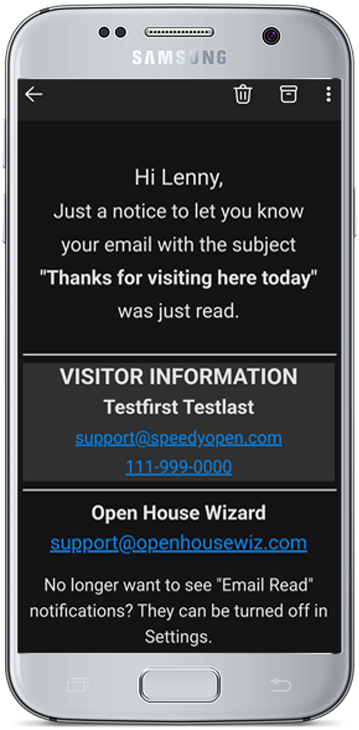
Email & Text Message Tracking
(Read, Delivered, Failed)
View and be notified of the Status of all emails and texts sent from your account to your Visitors.
STATUSES RECORDED
- Delivered
- Read
- Failed
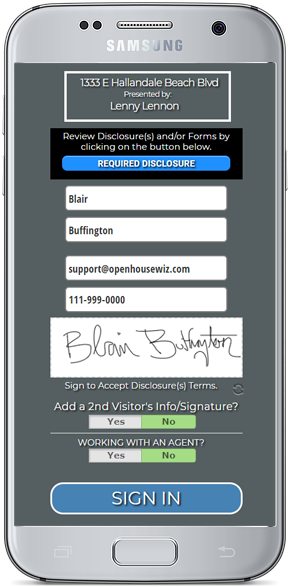
Signed PDF Disclosures & Visitor Signature Capture
If you are required to have a visitor view and sign disclosures before attending an Open House this can make life a LOT easier!
The Signed PDFs Add-on is now available and builds on our existing Disclosure capabilities.
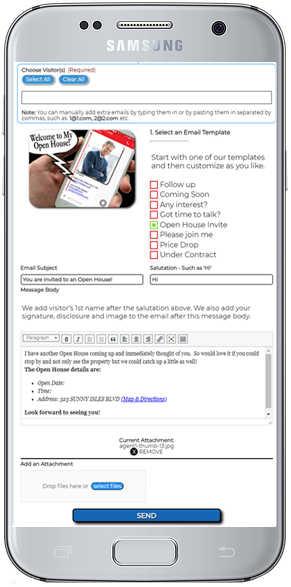
Instantly send blast emails to any or all Visitors with just a few clicks
Use our prebuilt email templates and customize them as you wish or add your own. These automatically include the property address and even a map and directions if needed.
Use our awesome timesaving prebuilt email templates to speed up the process.